


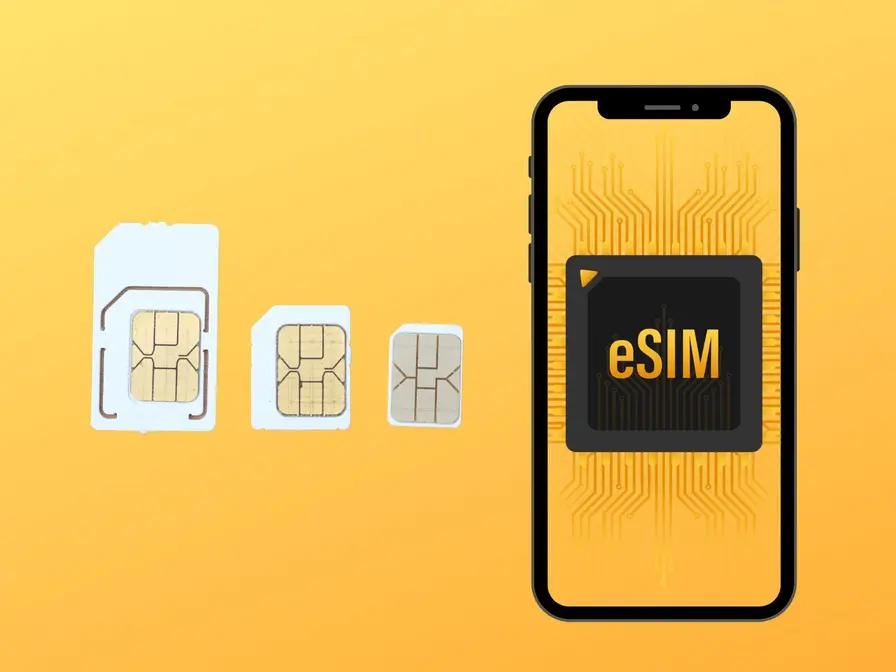
Determining whether your phone supports eSIM technology is the essential first step before purchasing any eSIM plan for international travel or dual SIM functionality. While eSIM support has become increasingly common since Apple introduced it in 2018 with the iPhone XS and XR,many devices still lack this capability, particularly budget smartphones,older models, and devices sold in certain markets where eSIM functionality is disabled due to regulatory restrictions. Understanding how to verify eSIM support, check carrier unlock status, and troubleshoot compatibility issues prevents the frustration of purchasing eSIM plans only to discover your device cannot use them.
eSIM compatibility depends on three critical factors that must all be satisfied: hardware support(your device must contain an embedded SIM chip), software support(your operating system must be recent enough to manage eSIM profiles), and carrier unlock status(your device must not be restricted to a specific mobile operator). A device might have eSIM hardware but lack software support due to outdated operating systems, or have both hardware and software support but remain carrier-locked,preventing eSIM activation from third-party providers.This guide helps you verify all three requirements systematically.
This comprehensive compatibility guide covers verification methods for all major device types, including detailed instructions for iPhone, Samsung Galaxy,Google Pixel,and other Android manufacturers. We’ll explain how to check for eSIM hardware presence, verify your operating system version meets minimum requirements, confirm carrier unlock status, and address special cases like devices purchased in China or through carrier financing. Whether you’re planning to use RedEx eSIM for upcoming travel or simply exploring whether your current device supports this technology,this guide provides the clarity you need to make informed decisions.
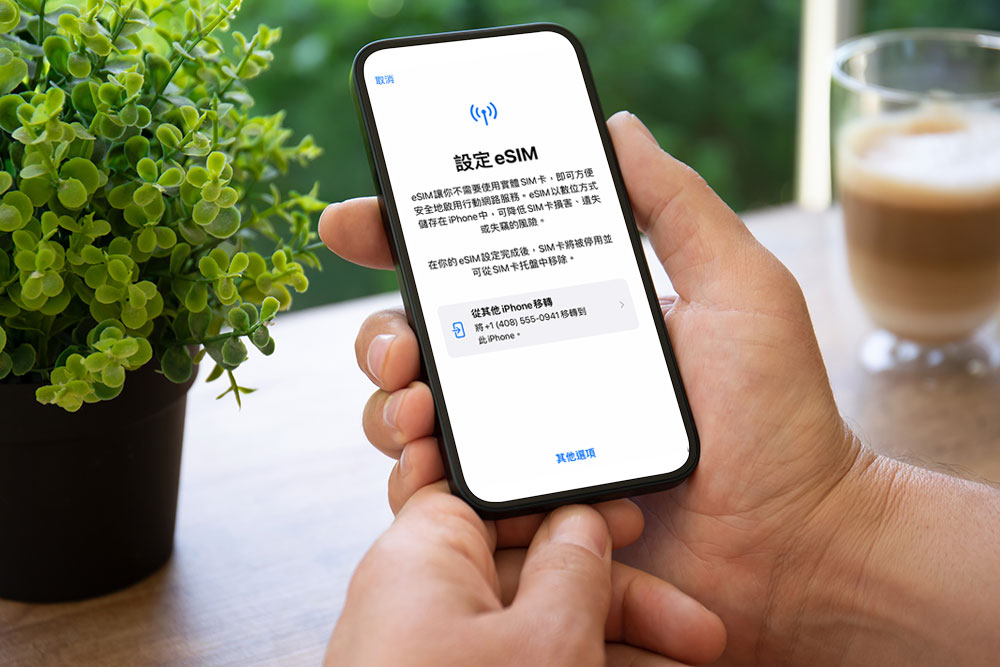
Quick eSIM Compatibility Check: The EID Method
The fastest and most reliable way to verify eSIM support is checking for an EID(eSIM Identifier) in your device settings. The EID is a 32-digit number that uniquely identifies your device’s embedded SIM chip-if this number exists, your device contains eSIM hardware and can support eSIM functionality(assuming software and unlock requirements are met).This method works universally across all manufacturers and provides definitive confirmation within seconds.
For iPhone users, open the Phone app and dial*#06# as if making a call.Your device displays its IMEI number(s) and, if eSIM is supported, an EID number below the IMEI.The EID appears as a 32-digit number, typically displayed in groups of four digits(e.g., 89033023425170000000000000000000). If you see this EID number, your iPhone contains eSIM hardware. If no EID appears, your device does not support eSIM technology. This method works on all iPhone models and iOS versions, providing instant verification without navigating complex settings menus.
For Android users, the verification path varies by manufacturer but typically involves navigating to Settings> About Phone> Status or Settings>About Phone>SIM status.On Samsung devices running One UI,go to Settings> About phone> Status information, then scroll down to look for”EID” or”eSIM ID.” On Google Pixel devices, navigate to Settings>About phone> SIM status and look for the EID entry. If you see a 32-digit EID number, your Android device supports eSIM. If the EID field is absent or shows”Not available,” your device lacks eSIM capability.
iPhone eSIM Compatibility: Models and Requirements
Apple has supported eSIM technology since 2018, with support expanding across their product lines over subsequent years. All iPhone models from iPhone XS,iPhone XS Max,and iPhone XR onward support eSIM functionality,including iPhone 11 series(11,11 Pro,11 Pro Max),iPhone 12 series(12, 12 mini,12 Pro,12 Pro Max),iPhone 13 series(13,13 mini,13 Pro,13 Pro Max),iPhone 14 series(14,14 Plus,14 Pro,14 Pro Max),and iPhone 15 series(15,15 Plus,15 Pro,15 Pro Max). Notably,iPhone models prior to XS/XR(including iPhone X,8,7, and earlier) do not support eSIM and cannot use eSIM plans.
iPhone SE models show split support: the second-generation iPhone SE (2020) and third-generation iPhone SE(2022) support eSIM, while the original iPhone SE(2016) does not. This distinction matters for users of older budget iPhones who might assume their device supports modern features. Additionally, certain iPad models support eSIM:iPad Pro 11-inch(all generations),iPad Pro 12.9-inch(3rd generation and later),iPad Air(3rd generation and later),iPad(7th generation and later),and iPad mini(5th generation and later). These iPads can use eSIM for cellular data connectivity,making them viable for travel data plans.
Software requirements for iPhone eSIM functionality include iOS 12.1 or later. Devices running older iOS versions cannot manage eSIM profiles even if the hardware supports it. Check your iOS version by navigating to Settings> General> About> Software Version. If you’re running iOS 11 or earlier, update to the latest iOS version to enable eSIM functionality. Most iPhones that support eSIM hardware can run iOS 12.1 or later, making software compatibility rarely a limiting factor for devices with eSIM hardware.
Special Considerations for iPhone Models
iPhone 14 and iPhone 15 models sold in the United States lack physical SIM card slots entirely,relying exclusively on eSIM for cellular connectivity.This design change means US-purchased iPhone 14/15 devices cannot use physical SIM cards at all-they must use eSIM for all mobile service.However,iPhone 14/15 models sold outside the United States retain physical SIM card slots alongside eSIM support, allowing traditional dual SIM functionality with one physical card and one eSIM. This regional variation matters for travelers who purchase iPhones in the US and later travel internationally, or vice versa.
iPhones purchased in mainland China have eSIM functionality disabled due to regulatory restrictions, even though the hardware contains the necessary chip. Chinese-market iPhones cannot activate eSIM profiles regardless of software version or carrier unlock status.This restriction affects travelers who purchase iPhones in China or receive Chinese-market devices as gifts. To verify whether your iPhone is a Chinese-market model,check Settings> General> About> Model Number. If the model number ends with”CH/A”(e.g., MQ8E3CH/A), your device is a Chinese-market model with disabled eSIM functionality.
Android eSIM Compatibility: Samsung,Google Pixel,and Others
Android eSIM support varies significantly by manufacturer, model, and market. Samsung Galaxy devices began supporting eSIM with the Galaxy S20 series(S20, S20+, S20 Ultra) in 2020, with support continuing through S21,S22,S23,S24,and S25 series.Samsung’s Galaxy Z Fold and Z Flip foldable devices also support eSIM starting from Z Fold2 and Z Flip 5G onward. However, many Samsung mid-range and budget devices(Galaxy A series, Galaxy M series) lack eSIM support to reduce manufacturing costs.If you own a Samsung device, verify eSIM support using the EID check method rather than assuming based on model year.
Google Pixel devices have supported eSIM since Pixel 3 and Pixel 3 XL in 2018, with support continuing through all subsequent models including Pixel 4, 5, 6, 7, 8, and 9 series. Google’s commitment to eSIM technology across their entire Pixel lineup makes these devices reliable choices for travelers who prioritize eSIM functionality. Pixel devices require Android 9.0(Pie) or later to manage eSIM profiles-check your Android version in Settings>About phone> Android version. Most Pixel devices can update to recent Android versions, making software compatibility rarely a limiting factor.
Other Android manufacturers show inconsistent eSIM support. Motorola includes eSIM in select flagship models like Razr foldables but omits it from most mid-range devices. Huawei supported eSIM in P40 and newer flagship models, though availability varies by market due to regulatory complications. OnePlus added eSIM support starting with OnePlus 11 and newer models.Xiaomi,Oppo,and Vivo show limited eSIM support in Western markets, with availability primarily in flagship devices sold in Europe and North America. For any Android device, use the EID verification method to confirm support rather than relying on manufacturer specifications that may vary by market.
Carrier Unlock Status: The Critical Third Requirement
Even if your device contains eSIM hardware and runs compatible software,carrier lock restrictions can prevent eSIM activation from third-party providers like RedEx. Carrier-locked devices are restricted to specific mobile operators-typically the carrier that sold the device through financing or contract agreements.These locked devices reject eSIM profiles from other providers, displaying error messages like”Cellular Plan Cannot Be Added” or”Unable to Complete Cellular Plan Change” during installation attempts.
Verifying carrier unlock status requires contacting your current mobile operator or attempting eSIM installation. The most reliable method is calling your carrier’s customer service and asking directly:”Is my device carrier-unlocked for use with other providers?” Carriers can check your device’s unlock status in their systems and provide definitive answers. If your device is locked, you can request unlocking-most carriers comply within 24-48 hours once contract obligations are met. In the United States,carriers are legally required to unlock devices upon request after contracts are fulfilled and devices are fully paid.
Devices purchased directly from manufacturers(Apple Store,Samsung.com, Google Store) without carrier financing are typically unlocked from the start. Devices purchased through carrier retail stores or with installment payment plans usually remain locked until payments complete. If you purchased your device outright at full price from a carrier store, it may still be locked-request unlocking from your carrier even if you paid in full. International travelers should verify unlock status well before departure, as the unlocking process can take several days and requires communication with your home carrier.
Testing Unlock Status Through eSIM Installation
You can test carrier unlock status by attempting to install a free or trial eSIM profile. Some providers offer small promotional allocations(100-500 MB) that you can use to verify compatibility without financial commitment.Attempt installation following standard procedures-if the eSIM profile installs successfully and you can see it listed in your device’s SIM management settings, your device is carrier-unlocked. If installation fails with error messages about cellular plan restrictions or SIM compatibility,your device is likely carrier-locked and requires unlocking before you can use third-party eSIM providers.
eSIM Compatibility by Device: Complete Reference Table
| Manufacturer | eSIM-Compatible Models | Minimum OS Version | Special Notes |
| Apple iPhone | XS/XR and newer(11,12, 13,14,15 series) | iOS 12.1+ | US iPhone 14/15 lack physical SIM; China models have eSIM disabled |
| Apple iPad | Pro 11″(all), Pro 12.9″ (3rd gen+),Air(3rd gen+), iPad(7th gen+), mini(5th gen+) | iOS 12.1+ | Cellular models only |
| Samsung Galaxy S | S20,S21,S22,S23,S24, S25 series | Android 9.0+ | Varies by market; some regions lack eSIM |
| Samsung Foldables | Fold2+, Flip 5G+ | Android 10.0+ | Foldable devices |
| Google Pixel | Pixel 3 and all newer models | Android 9.0+ | Consistent support across lineup |
| Motorola | Razr(2019+), Edge+ (2022+), select flagships | Android 9.0+ | Limited to premium models |
| Huawei | P40 series, Mate 40 series (newer flagships) | Android 10.0+ | Availability varies by market |
| OnePlus | OnePlus 11 and newer | Android 13.0+ | Recent addition to lineup |
Frequently Asked Questions About eSIM Compatibility
My phone has an EID number but eSIM installation fails. Why?
If your device displays an EID number confirming eSIM hardware presence but eSIM installation fails, the most common causes are carrier lock restrictions or software issues. First, verify your device is carrier-unlocked by contacting your mobile operator-locked devices cannot install eSIM profiles from third-party providers even though the hardware exists.Second, ensure your operating system meets minimum requirements: iOS 12.1+ for iPhones, Android 9.0+ for most Android devices. Update to the latest OS version if you’re running older software.Third, check whether your device was purchased in a market where eSIM functionality is disabled-Chinese-market iPhones contain eSIM hardware but have the feature disabled by software restrictions. Fourth, verify you have stable internet connectivity during installation-eSIM profiles download from provider servers and require Wi-Fi or mobile data. If problems persist after verifying these factors, contact your eSIM provider’s support team(RedEx offers 24/7 assistance) to verify your eSIM profile status on their backend and troubleshoot installation issues.
Can I add eSIM support to an older phone that doesn’t have it?
No, you cannot add eSIM support to phones that lack the embedded SIM chip hardware. eSIM requires a physical chip soldered to your device’s motherboard during manufacturing-this chip cannot be added later through software updates, accessories, or modifications. If your device doesn’t display an EID number when you dial*#06#(iPhone) or check Settings>About Phone> Status(Android),it lacks the necessary hardware and will never support eSIM regardless of software updates. Your only option is upgrading to a newer device that includes eSIM hardware. When purchasing a new device specifically for eSIM functionality, verify support before purchase by checking manufacturer specifications or using the EID verification method in-store. Most smartphones released after 2019 in the mid-range and premium segments include eSIM support, though budget devices often omit this feature to reduce costs. If eSIM functionality is important for your use case(international travel, dual SIM needs),prioritize devices from manufacturers with consistent eSIM support like Apple(iPhone XS/XR and newer) or Google(Pixel 3 and newer).
Does eSIM support vary between the same phone model sold in different countries?
Yes,eSIM support can vary significantly for the same phone model sold in different markets due to regulatory restrictions and regional specifications.The most notable example is iPhone models sold in mainland China, which have eSIM functionality disabled even though the hardware contains the necessary chip. You can identify Chinese-market iPhones by checking Settings> General>About> Model Number-if it ends with”CH/A,” eSIM is disabled. Similarly, some Android manufacturers disable eSIM in certain markets where regulatory requirements or carrier preferences discourage the technology. Samsung Galaxy devices sold in some Asian markets lack eSIM support even when the same model sold in Europe or North America includes it. Additionally, carrier-specific versions of phones(devices sold through mobile operators rather than unlocked from manufacturers)sometimes have eSIM functionality disabled or restricted to that carrier’s eSIM service only. When purchasing phones internationally or receiving devices as gifts from other countries, verify eSIM functionality using the EID check method rather than assuming based on model specifications. If you’re buying a device specifically for eSIM capability, purchase unlocked models directly from manufacturers(Apple Store, Samsung.com, Google Store) rather than carrier-specific versions to ensure full eSIM functionality.
Can I use eSIM if my phone has a physical SIM card slot?
Yes,most eSIM-compatible phones support dual SIM functionality with one physical SIM card and one eSIM active simultaneously.This configuration is actually the most common and useful implementation of eSIM technology,allowing you to maintain your primary service on a physical SIM while using eSIM for travel data plans, secondary numbers, or regional services. iPhones from XS/XR through iPhone 13 series include both a physical SIM slot and eSIM support, enabling true dual SIM functionality. Most Samsung Galaxy and Google Pixel devices with eSIM also retain physical SIM slots. The exception is iPhone 14 and iPhone 15 models sold in the United States, which lack physical SIM slots entirely and rely exclusively on eSIM-these US models can activate two eSIM profiles simultaneously for dual SIM functionality. For most users, the physical SIM plus eSIM combination provides optimal flexibility: use your physical SIM for your primary number that rarely changes, and use eSIM for secondary purposes like travel data plans that you activate and deactivate as needed.This hybrid approach leverages the convenience of eSIM for temporary services while maintaining the simplicity and universal compatibility of physical SIM for your main service.
How do I check if my carrier supports eSIM?
Carrier eSIM support varies by country and operator, with developed markets showing widespread support while developing markets have limited availability. To verify your carrier’s eSIM support, visit their official website and search for”eSIM” or”embedded SIM” in their support documentation. Most carriers that support eSIM provide dedicated information pages explaining compatible devices,activation procedures,and plan availability. Alternatively, contact your carrier’s customer service and ask directly:”Does my carrier support eSIM for consumer plans?”Major carriers in developed markets(Verizon, AT&T, T-Mobile in the US;Vodafone,Orange,O2 in Europe;SoftBank,NTT Docomo in Japan;SK Telecom in South Korea) all support eSIM for consumer plans. However,carrier eSIM support matters primarily if you want to use eSIM for your primary mobile service. For international travel, you don’t need your home carrier to support eSIM-travel eSIM providers like RedEx operate independently by partnering with carriers in destination countries. You can use RedEx eSIM for travel data even if your home carrier doesn’t support eSIM, as long as your device has eSIM hardware and is carrier-unlocked.The distinction is important: carrier eSIM support affects whether you can use eSIM for your main phone service, but doesn’t prevent using travel eSIM providers for international connectivity.
Will future phone updates add eSIM support to my current device?
No, software updates cannot add eSIM support to devices that lack the embedded SIM chip hardware. eSIM requires a physical chip soldered to your device’s motherboard during manufacturing-this hardware component cannot be added through software updates, regardless of how advanced the update might be. If your device currently lacks an EID number(verifiable by dialing*#06# on iPhone or checking Settings>About Phone> Status on Android), it will never support eSIM even if you update to the latest operating system. Software updates can improve eSIM functionality on devices that already have the hardware(adding features like eSIM Quick Transfer on iPhones with iOS 16+), but cannot enable eSIM on devices lacking the physical chip. If eSIM functionality is important for your needs, you must upgrade to a newer device that includes eSIM hardware. When planning device upgrades, prioritize models with confirmed eSIM support if you anticipate using this technology for travel, dual SIM functionality,or future flexibility. Most smartphones released after 2019 in the mid-range and premium segments include eSIM support, making it increasingly standard rather than a premium feature.
Final Recommendations: Ensuring eSIM Compatibility
Before purchasing any eSIM plan from RedEx or other providers, verify your device meets all three compatibility requirements: eSIM hardware presence(confirmed by EID number), compatible operating system(iOS 12.1+ or Android 9.0+), and carrier unlock status(device not restricted to specific operator). The EID verification method provides the fastest and most reliable confirmation-dial*#06# on iPhone or check Settings>About Phone> Status on Android. If you see a 32-digit EID number, your device contains eSIM hardware and can support eSIM functionality once software and unlock requirements are satisfied.
For travelers planning to use eSIM for upcoming trips, verify compatibility well before departure rather than discovering issues at the last minute.Test your device’s eSIM functionality by installing a free trial profile or purchasing a small plan for domestic testing. This advance verification ensures you can troubleshoot any carrier unlock issues, software update requirements, or installation problems with time and resources rather than dealing with technical challenges in airports or foreign countries.RedEx’s 24/7 customer support can assist with compatibility questions and troubleshooting, but prevention through advance verification proves far less stressful than emergency problem-solving while traveling.
If your current device lacks eSIM support and you frequently travel internationally or need dual SIM functionality, consider upgrading to an eSIM-compatible device.The convenience of instant eSIM activation,multi-country coverage without physical SIM swaps, and true dual SIM capability justifies device upgrades for travelers who value seamless connectivity. When purchasing new devices, prioritize manufacturers with consistent eSIM support across their lineups(Apple iPhones XS/XR and newer, Google Pixel 3 and newer) and verify eSIM functionality before finalizing your purchase. The investment in eSIM-compatible devices pays dividends through years of convenient international connectivity and flexible dual SIM usage that transforms how you stay connected while exploring the world.