


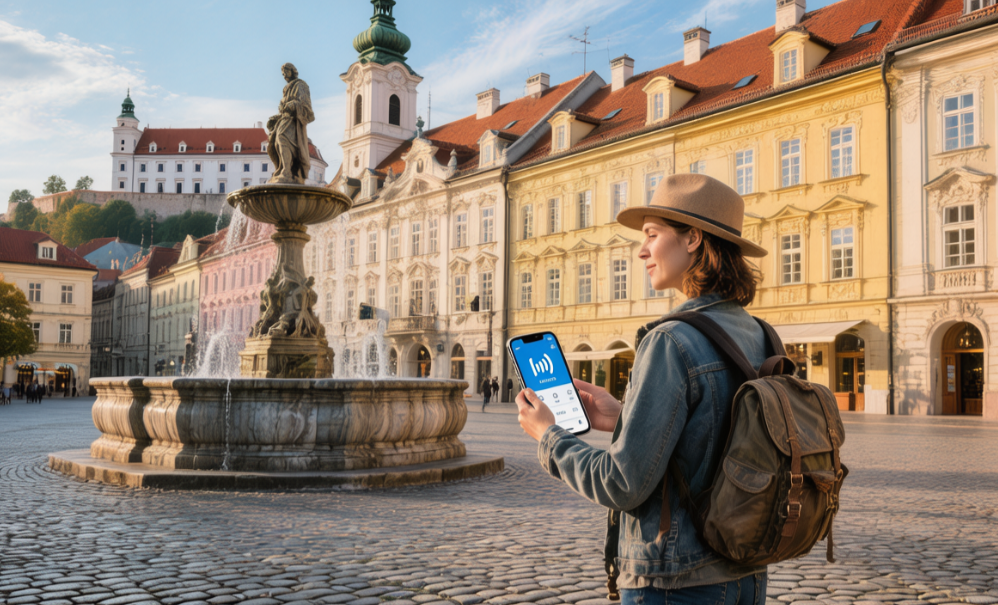
Slovakia has roughly 98% 4G coverage, while 5G reaches about 40% of the population. eSIM works on supported phones (iPhone XS+/S20+/Pixel 4+), but the device must be unlocked. Buying a 10–20GB EU eSIM in advance is usually the most cost-effective option.
Unlocked Phones and Network Bands
Unlocked Phone
The moment you walk out of an AT&T store in Los Angeles with a $199 iPhone 15 and sign up for a 24-month installment plan, an invisible gate is built into the phone’s core software. In Apple’s GSX database, that 15-digit IMEI is quietly tagged as “US AT&T.”
It will only accept AT&T SIM identifiers starting with 890141. Fly to Bratislava, buy a €15 Orange physical SIM from a corner shop, pop it in, and the screen will instantly flash “SIM Not Supported” or throw up the cold, unfriendly “Error 4001”.
Even if you already bought a 10GB Europe-wide roaming eSIM online and scanned the QR code, the baseband chip may still refuse to activate it. Before heading to Europe, ignore the signal bars in the top-right corner and check the one thing that really matters: the device’s EID.
Take out your Samsung Galaxy S23 or Sony Xperia 1 V, open the dialer, and enter *#06#. A white pop-up will appear, packed with a long list of 15-digit IMEIs and a 32-digit EID.
Copy the 15-digit number, open an incognito tab in your phone’s browser, and go to a checker site like SickW or IMEI.info. Pay $0.50 for a GSX report with your credit card, wait 30 seconds, and look for the Next Tether Policy field. If it says “Multi-Mode Unlock,” your phone can use European SIMs without restrictions.
For Apple users running iOS 14 or later, there’s an easier shortcut built right into the system.
- Open the Settings app
- Go to General > About
- Scroll down about two screens to Carrier Lock
- Check whether it says No SIM restrictions
- Confirm that the EID field shows a 32-digit number
T-Mobile in North America is strict: the phone must stay active on its network for 40 consecutive days, and the installment balance must be fully paid off before it sends the unlock request to Apple’s servers. Japan’s NTT Docomo also used to lock Android phones by default, only dropping that practice for newly manufactured devices in October 2021.
Many European carriers still routinely lock phones sold on contract. That budget Samsung A54 you got in the UK with a 12-month Vodafone 5G plan may be useless in Slovakia if you want to switch to a cheaper local 4ka data package.
You have to log into Vodafone’s web portal on a computer, fill out a Network Unlock Code (NUC) request form, and enter the phone’s IMEI. After 2 to 10 business days, an email will arrive with an 8- to 16-digit unlock code.
Once you receive the code, insert a Slovak Telekom SIM into the Samsung phone. A black pop-up with white text will appear immediately, asking for a “SIM Network Unlock PIN.”
Enter the 16-digit code, tap confirm, and once the system verifies it in the background, the 4G icon will finally appear in the status bar. On a Google Pixel 7 with eSIM built in from the factory, there is no prompt for a physical unlock code at all.
On some Android phones, the unlock controls are hidden inside a preinstalled standalone app.
- Connect to your home Wi-Fi
- Find the Device Unlock app in the app drawer
- Tap the Permanent Unlock button
- Wait for the progress bar to finish and the phone to restart
- Then go to network settings and add the eSIM by scanning the QR code
Samsung once introduced a regional lock on the Galaxy Note 3 in 2013. European retail boxes came with a large yellow sticker printed with a long English notice stating that the phone had to be activated first with a local European SIM.
If you happened to buy a North American factory-unlocked Samsung S24 in New York and took it to Bratislava with a local O2 SIM, it could still fail at the initial activation step.
You would first need to insert a US Verizon SIM and make a local voice call lasting more than five minutes. Only after that call would the regional lock on the motherboard be cleared, allowing you to scan and install a Slovak eSIM without errors.
Checking the EID is essential before scanning any QR code. On some older contract phones, customer service may have unlocked the physical SIM slot, while the 32-digit EID tied to the internal eSIM remains blacklisted.
If you dial *#06# and only see IMEI 1 and IMEI 2, with no EID anywhere on screen, the phone simply does not have an eSIM chip soldered onto the board. In that case, your only option is to buy a €10 physical prepaid SIM at the Bratislava airport counter.
This is especially common with low-cost North American prepaid brands such as Mint Mobile and Metro by T-Mobile. Metro, for example, insists that a phone must stay on its network for a full 180 days.
Buy a $299 iPhone SE for a ski trip to the High Tatras, click the unlock button on day 179, and the website will do nothing but show you a red X.
You’ll need to call 888-863-8768, spend half an hour with a customer service agent, send over your itinerary to Slovakia as proof of travel, and ask for a temporary exception.
Before contacting support, make sure you have all the required information ready.
- The electronic invoice number from when you bought the phone
- The 6-digit PIN tied to your account
- The phone’s 15-digit IMEI
- The email address you normally use
- Your international flight booking confirmation
On some Android phones, a temporary unlock only lasts 30 days. Stay in Košice for a month and a half, and on the morning of day 31, the signal icon in the top-right corner may turn into the familiar no-service symbol: a circle with a diagonal slash.
Network Bands
Take a mainland China version of the Redmi Note 12, bought for RMB 1,999, onto the IC 521 intercity train from Bratislava to Košice. Just 15 minutes after leaving the city, the 4G icon in the top-right corner suddenly drops to E.
Your prepaid 10GB European roaming package becomes almost useless. Even sending a 50KB plain-text WeChat message will leave the spinner turning. The problem is simple: the phone’s RF hardware is missing support for Band 20 (800 MHz).
In Slovakia, Orange, Slovak Telekom, and O2 have all invested heavily in base stations using the 800 MHz band. With a wavelength of 37.5 cm, it can pass through the 40 cm thick brick walls of older houses outside Poprad with ease.
If your phone does not support B20, the moment you leave the motorway outside a major city or step into a village pub with a basement, it may not even be able to receive a basic text message.
If you’re hiking the mountain roads near Spiš Castle, the Slovak Telekom towers halfway up the slopes rely on Band 20 to blanket the valleys below. A single tower can cover a radius of up to 10 km. Without B20 support, even a 112 emergency call may fail.
Back in the cobbled streets of Bratislava’s Old Town, the way your phone connects changes completely. The small cells disguised as street lamps above your head transmit on the much higher-frequency Band 3 (1800 MHz) and Band 7 (2600 MHz).
These two high-frequency bands behave very differently:
- Small cells are mounted densely on building facades and lamp posts throughout the Old Town
- They transmit short-range 1800 MHz and 2600 MHz signals
- Their physical coverage radius is tightly limited to about 1.5 km
- They exist purely to handle the heavy data demand created by thousands of people packed into the same area
On a weekend evening, Hviezdoslavovo námestie is crowded with thousands of tourists wandering around with beer glasses in hand. Connect a Samsung S24 to Band 7 overhead, open Netflix, and cache a 2GB HD movie. The speed test needle can shoot up to 150 Mbps in under two seconds.
Then there’s 4ka, the cheapest local carrier. Its network strategy is quite different. 4ka has poured nearly all of its resources into Band 3 infrastructure, which makes browsing and map loading inside central Bratislava feel very smooth.
But once you leave the city, 4ka’s own towers disappear quickly. To fill rural coverage gaps, it rents older Orange 3G roaming infrastructure on a monthly basis, and tourists are often throttled to around 2 Mbps.
At the end of 2023, Slovakia’s O2 spent well over €100 million on equipment and replaced 5G antennas on 70% of its old 4G towers in Bratislava with Ericsson hardware.
To take advantage of that investment, your phone must support n78 (3500 MHz). Ride the elevator up to the UFO Observation Deck by the Danube, and an iPhone 15 Pro can hit peak download speeds above 800 Mbps.
Upload a freshly shot one-minute 4K travel vlog to cloud storage, and the progress bar can finish in just 8 seconds. Along the more remote stretches of the E50 highway, Slovak Telekom engineers are now retrofitting older towers with n28 (700 MHz) wide-area 5G antennas.
The real-world speed on n28 is only about 60 Mbps, not dramatically faster than strong 4G. But latency drops below 15 ms, so if you’re riding a coach through the Tatras and playing an online battle game, tapping skills on the screen feels crisp and immediate.
Before you buy a plane ticket, it’s worth checking your phone’s RF specifications on a reputable tech site:
- Go to the original English version of GSMArena
- Enter the exact model number from the back of the phone box in the search bar
- For a OnePlus 12, make sure you know whether you have the CPH2581 or PJD110 version
- Scroll down to the Network section and check the 4G bands list
If the page clearly lists 1, 3, 5, 7, 8, 20, 28, 38, 40, you can take it to Slovakia with confidence. If it only shows 1, 3, 5, 8, 34, 38, it would be wise to pick up a used US-market Pixel 6 as a backup hotspot before you leave.
Slovakian Network Coverage
Four Major Carriers
Slovakia covers 49,000 square kilometers and has more than 12,500 signal towers nationwide. Orange has built over 3,800 major base stations, with massive antenna panels pointed into the valleys of the Carpathians. Around 40% of Slovak Telekom’s equipment is mounted directly on the steel frames of old TV relay towers. O2 and 4ka hide their hardware more discreetly—in Bratislava’s Old Town, many fake chimneys on red-brick rooftops are packed with their equipment.
Orange acquired 100MHz of spectrum in the 3.5GHz band. On the Trnava plain, its engineers installed 220 small-form antennas on motorway lamp posts, specifically to overcome the heat-reflective metallic film used on coach windows. On the D1 highway, download speeds remain steadily above 150 Mbps. With a pay-per-day eSIM, your traffic routes through Orange’s Bratislava data center, and ping typically comes in at 18 ms.
Slovak Telekom has long dominated the 800MHz band. This frequency bends well around terrain, so even deep in the mountain valleys near Liptovský Mikuláš, you can still see two solid bars in the top-right corner of your screen. Rural base stations hold upload speeds at around 25 Mbps. At the Poprad ski areas, your phone’s baseband will stay latched onto Telekom’s low-band coverage almost the entire time.
O2 has focused its network spending on densely populated cities. In central Košice, it spent €15 million installing brand-new Ericsson 5G equipment. On the main pedestrian streets, speed tests can hit 850 Mbps. But once you drive more than 7 km beyond the ring road, the signal drops back to the old 900MHz layer. Watching a short video can mean staring at a white loading screen for 5 seconds, and video calls often fall to blocky 360p quality.
4ka, backed by the postal sector, sells especially cheap plans. Its own 1800MHz towers only cover about 85% of the population. In the countryside, when its signal disappears, the phone has to roam onto Orange’s older towers. That roaming is heavily throttled, with speeds capped at around 2 Mbps. Its physical SIMs are sold in the red Tabak newsstands you see on the street, and €5 gets you a local 10GB data package.
| Carrier | Main 5G Band | Common 4G Bands | Road-Test Speed (Mbps) | Signal Retention in Remote Areas |
|---|---|---|---|---|
| Orange SK | 3.5 GHz (n78) | B3/B7/B20 | 650 | 92% |
| Telekom | 2.1 GHz (n1) | B20/B3 | 420 | 95% |
| O2 – SK | 3.5 GHz (n78) | B3/B20 | 850 (urban only) | 45% |
| 4ka | 3.7 GHz (n77) | B3 (1800MHz) | 120 (on its own towers) | 0% (when roaming is unavailable) |
If you’re using an iPhone 15 or Samsung S24 on Orange, the phone can aggregate B3 and B7 at the same time, and the status bar may show 5G+. Local webpages load images in under 12 ms. On a dual-SIM phone, switch the second line to Telekom, head down to a stone wine cellar two floors below a restaurant, and you may still gain an extra bar—enough to send a few text messages home.
Because each carrier’s tower placement is different, the best network depends on where you’re going.
- On a Danube river cruise, with no buildings blocking the signal, Orange towers can project coverage as far as 3.5 km. Standing on deck, you can stream in 1080p live without a single stutter.
- In Low Tatras National Park, the pine canopy can be 15 meters thick. Telekom’s low-band signal penetrates the forest better than the rest. Even by the wooden warning signs about brown bears, you can still send a 5MB landscape photo back home through social media.
- The ceiling of Bratislava’s Eurovea shopping mall is packed with O2’s white micro-antennas. Even on the third basement parking level, your phone can still get 50 Mbps—enough to scan the wall code and pay for parking in 5 seconds.
Regional Real-World Performance
Step out of Bratislava’s main railway station and the 5G icon lights up instantly. Orange clocks 450 Mbps. Walk 15 minutes toward the Old Town and go down into a vaulted cellar bar on Michalská Street dating back to the 15th century. One-meter-thick stone walls choke the signal, and speed drops to 25 Mbps. Opening the map to find your next restaurant takes 3 seconds.
In central Košice, beside the square in front of St. Elisabeth Cathedral, three O2 small-cell units are mounted on a lamp post. Standing by the fountain, uploading a 2GB 4K video takes 45 seconds. Walk 2 km farther out into an ordinary residential neighborhood, and speeds fall back to 120 Mbps. Even so, buying a coffee at a roadside shop by scanning a mobile payment code still works instantly, with the success tone sounding right away.
Buy a ticket for IC 44 to Poprad and ride across the plains at 160 km/h. The coach windows are coated with heat-reflective film, but Telekom still manages around 15 Mbps to your seat. Once the train enters the 3 km-long Turecký Hill tunnel, the phone loses service completely. The outage lasts a full 90 seconds, and the moment you emerge into daylight, your chat apps are suddenly flooded with messages.
Rent a Škoda and drive onto the D1 motorway at 130 km/h. Over the 150 km stretch from Trnava to Žilina, the car audio streams high-quality music while Orange’s 4G covers 98% of the route. Only when you enter the winding Stračno Gorge does the audio cut out—twice, for about 3 seconds each time—as the foliage blocks part of the radio signal.
| Test Terrain | Location | Altitude / Environment | Peak Measured Speed | Dropouts |
|---|---|---|---|---|
| Enclosed urban space | Second basement level, Aupark mall | Surrounded by concrete load-bearing walls | 45 Mbps (Telekom) | 0 |
| Long-distance rail travel | Trenčín section, R 605 train | Moving at 120 km/h | 35 Mbps (Orange) | 3–4 times per hour |
| High-mountain tourist area | Shore of Štrbské Pleso | 1,346 m above sea level | 180 Mbps (O2) | 0 |
| Rural border region | Uliš village | Near the border | 12 Mbps (no 4ka signal) | Frequent network switching |
Park at Štrbské Pleso, 1,346 meters above sea level, and all three major carriers show full 4G bars. Take the cable car up to the observation deck on Lomnický Peak at 2,634 meters. A dedicated Telekom antenna is mounted on the weather station’s steel frame. Standing at the cliff edge, tourists can still get 40 Mbps. Take a panoramic photo of the snow-covered mountains and upload it—after just two spins of the loading icon, it’s gone.
- Hike four hours into the mountains with your pack and stop at the Žbojnícka chalet at 1,960 meters.
- Granite walls on both sides block every signal coming up from the valley below.
- The corners of the phone screen stay completely empty—to buy a hot tea, you’ll need cash, because even the card terminal at the bar is offline.
- Walk back 500 meters to an open ridge, and a single weak 4G signal bar appears again.
Quick eSIM Compatibility Check
EID Verification
Open the dialer and enter *#06# as if you were making a call. The screen will immediately go dark and switch to a white-text interface with barcodes. Look for a long number that is exactly 32 digits. In front of it, you should see three capital letters: EID.
The first few digits are usually 89049 or 89033. 89049 typically comes from STMicroelectronics production lines, while 89033 is associated with NXP. That 32-digit number proves that a tiny 2mm × 2mm chip is soldered onto your phone’s motherboard, sitting quietly beside the main processor.
If all you can find is a 15-digit IMEI or a 14-digit MEID and no other long number, then that chip simply isn’t there. Those 15 digits are only the phone’s standard cellular identity for connecting to local towers—they cannot load a Slovak eSIM profile.
- iPhone: the 32-digit number is usually near the very top or bottom of the screen.
- Samsung: swipe upward past two rows of long barcodes before you find it.
- Google Pixel: the number is often shown next to a square QR code about 1 cm wide.
- Motorola: after dialing, you may need to tap once more to open the hardware info menu.
If your finger accidentally touches the edge of the screen, the dark interface may disappear immediately. On devices running iOS 12.1 or later, you can also find the code in Settings. Go to General, then About. Starting from the Wi-Fi MAC Address line, count down two rows, and the long number will appear directly below the label SEID.
On devices running Android 10 or later, it’s buried deeper under About phone. Open Status information and look for a separate field labeled with those three letters. Some manufacturers modify the interface so heavily that you have to tap “SIM status” seven times in a row before the lower-level parameter panel appears.
Writing down this 32-digit number by hand is an easy way to make a mistake. iOS 15 added a copy option: press and hold the number for two seconds, and the system copies the entire string to the clipboard. When setting up mobile service in Slovakia, you can simply paste it into the carrier app to verify it.
- 89049032: commonly seen on iPhone 13 motherboards produced in 2021.
- 89043051: often found in the low-level parameters of the Samsung Galaxy S22 series.
- 89033024: a number block frequently used on factory Pixel 6 devices.
- 89049056: used on recently produced iPhone 15 Pro models.
Backend systems in Bratislava can extract this string in 0.5 seconds and query it against the GSMA remote server. The two systems then verify whether the RSA 2048-bit keys stored on the motherboard match. If the verification fails, the download progress bar on your phone will freeze permanently at 14% or 89%.
On older phones made before 2018, the motherboard layout often had no provision at all for this tiny chip. Take a 2017 iPhone X: it clearly shows the traditional 15-digit identifiers, but it lacks the 32-digit number required to load foreign carrier profiles.
Try scanning a Slovak eSIM QR code on one of these older phones, and within 1.5 seconds the camera app will pop up a network error. The phone can recognize the text string starting with LPA:1$, but there is no physical component inside the device capable of processing it.
- LPA:1$: the standard prefix used to deliver remote carrier profiles.
- SM-DP+: the server address used by Slovak carriers to distribute the digital package.
- 16-digit code: a mixed-case pairing or verification string.
- 4-digit PIN: a security code some European networks still require on screen.
Spend 10 seconds checking whether your device has this long number. That way, when you arrive at Bratislava airport, you won’t waste $20 to $50 on a digital package your phone can’t use. If you’re bringing a tablet, check it the same way in its settings menu.
On the third-generation 11-inch iPad Pro, it appears below ICCID in the Cellular Data section. This tablet also relies on the same 2mm eSIM component for overseas connectivity. If the number on screen is not 32 digits long, or the label is missing entirely, then buying a local physical SIM is your only option.
Carrier Lock Check
So you found the 32-digit number on the motherboard and paid €15 for a Slovak Orange data QR code—but when you scan it, the phone displays a white pop-up saying “Cannot Add Cellular Plan.” That 2mm chip is still blocked by an invisible wall of code.
That wall is what we call a carrier lock. Buy a brand-new iPhone 15 from a North American store on a 24-month installment plan, and carriers like AT&T or SoftBank may write a 6-digit MNC restriction code deep into the system.
That 6-digit code acts like a padlock hanging from the phone’s antenna. Land in Bratislava, let the device pick up a European 2100 MHz 4G signal, and the moment it realizes the network is not the one it was tied to back home, it shuts down mobile service entirely.
Checking whether this invisible lock is there only takes a few taps. Open Settings, go to General, then About, and scroll to the middle-lower section of the page. Just above the Wi-Fi Address line, look for a gray label related to network restrictions.
- If the screen says “No SIM restrictions,” the phone is fully unlocked.
- If it says “SIM restricted,” the phone is still locked.
- If a carrier name appears, the device will only accept that carrier’s network.
- If it says “Contact provider,” the lower-level carrier-readout process has likely failed.
On Android, it takes a little more effort. Suppose you have a Samsung Galaxy S24 purchased from a Verizon store. Go to a small kiosk and buy an old discarded Vodafone Europe SIM for €2. Use a 1.5 cm metal SIM pin to eject the tray and insert the card.
Slide the tray back in and wait 3 seconds. Keep an eye on the signal area in the top-right corner. If a box appears asking for a “Network Unlock PIN,” the phone is locked. If nothing pops up and it only says “Emergency calls only,” then the device is clean and unlocked.
Refurbished phones bought on Amazon for $600 are especially risky. Sellers sometimes attach an ultra-thin film called R-SIM to the motherboard contacts before shipping. This 0.2 mm copper shim can trick the phone into accepting a physical SIM, but it becomes completely useless with a purely digital eSIM.
Before buying a non-new device, it helps to know how carriers in different regions handle locking in 2026. Rules vary widely depending on where the phone was originally sold.
| Where the Phone Was Bought | Common Carrier | Default Lock Period | How to Unlock It |
|---|---|---|---|
| United States | AT&T | 60 days | Pay it off and keep service active for two months |
| United States | T-Mobile | 40 days | Make sure the account is clear, then call customer service |
| Japan | Docomo | 100 days | Log into your online account and submit a request |
| United Kingdom | EE | 0 days | Post-2021 rules no longer allow locking new devices |
That 40-day period starts counting from the day the phone is first activated. Imagine buying the device, then boarding a Boeing 777 for Vienna on day 15. At 30,000 feet, you spend $22 on a 10GB Slovak local data package.
After landing, you connect to the airport’s free Wi-Fi and try to install it. The camera scans the square code containing the SM-DP+ address, the loading spinner turns for 45 seconds, and then the phone displays a box saying PDP authentication failed. Your $22 is gone.
You call customer service across the ocean to ask for an unlock code. The agent checks the system and sees that only the first three $89 monthly bills have been paid. They read policy language off a prepared 120-word script and refuse to give you the 8-digit code.
- Log into your carrier account on a computer
- Open device management and click the long unlock request button
- Enter the 15-digit serial identifier shown on your screen
- Wait up to 48 hours for the system to email instructions
- Then follow the email and update the phone over Wi-Fi
Once those 48 hours have passed, the phone quietly connects to Apple’s or Google’s remote servers. The 6-digit MNC code buried deep in the system is erased by a server-side instruction. The on-screen status changes to the unrestricted state.
Many neon-lit repair shops on the street offer this service too. A technician may take €40 in cash and run a hacking tool on a computer. But that only tricks the system temporarily. Once you connect to an O2 tower in Slovakia and the device refreshes its status, the original restrictions come right back.
If the rule buried in the software hasn’t actually been removed, then when you stop for coffee at Aupark mall in Slovakia, your phone is little more than a camera. Even after buying a €12 plastic SIM with 5GB of data from the telecom shop next door and inserting it, the top-right corner of the screen will still say no service.
 English
  French
  Spanish
  Portuguese
  Arabic
  Japanese
  Korean
  Russian
  Chinese (China)
  Chinese (Hong Kong)