


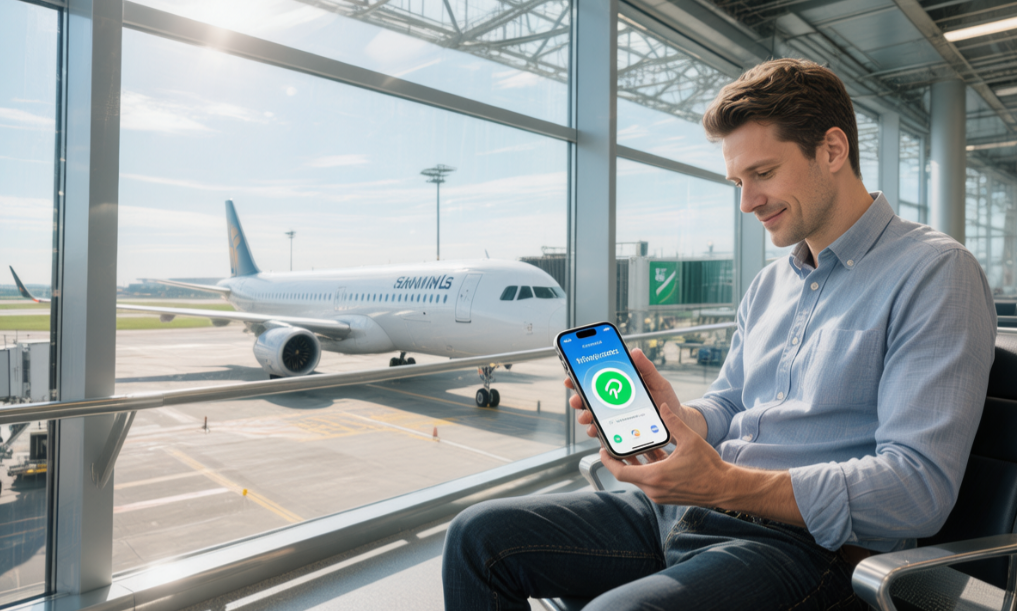
Yes—you can buy a Spain eSIM in advance, install it by scanning the QR code, and start using it the moment you land by turning on roaming. A 3–10GB plan typically costs about €10–25, supports 4G/5G, and saves you the hassle of queueing for a physical SIM.
Does an eSIM work in Spain?
Yes. A travel eSIM connects to Spain’s local mobile networks just like a local SIM, so you get 4G/5G data for maps, apps and messaging as soon as you land and switch it on. With a RedEx Spain eSIM you install it digitally before departure and activate on arrival — no physical SIM, no store queue, and no roaming surcharge from your home carrier. See RedEx Spain eSIM plans.
Pre-Purchase Checklist
Device Compatibility & Carrier Lock
Before buying a data plan for Madrid, open your phone’s dialer and enter *#06#. If a 32-digit EID number appears on the screen, that means your phone has the built-in chip needed to activate service by scanning a QR code. If that number does not appear, any plan you pay for will be unusable.
iPhones sold in different regions do not all have the same internal hardware. An iPhone 15 bought at a mall in Dubai will often support only two physical SIM cards. Try scanning a mobile data QR code in Barcelona with that model, and all you will get is a red error message on the screen.
- iPhone 14 and newer models sold in North America do not even have a SIM tray and rely entirely on the internal chip.
- iPhones sold in Japan usually come with one 1 cm plastic SIM tray plus one eSIM channel.
- Many Samsung S22 to S24 phones sold in Korea have this electronic component removed.
- North American Google Pixel models from the Pixel 4 onward can scan and activate eSIMs right out of the box.
Android phones are much messier. Two phones both called the Samsung Galaxy S23 Ultra can have very different internals depending on whether they were bought in Seoul or New York. If the system is still stuck on the older One UI 5.0 version, it can easily freeze at 99% while reading Vodafone Europe settings. Spending 15 minutes updating to Android 14 before departure can save you a lot of trouble.
Even if the hardware checks out, that does not mean the phone is unlocked. A discounted phone bought in North America on a 24-month AT&T contract may be restricted to that carrier’s network only. Scan an Orange QR code with it, and the screen will flash up a big message saying eSIM Not Supported.
To check whether an iPhone is locked, open “Settings,” then “General,” then tap “About” at the top. Scroll almost to the bottom, just above the Wi-Fi address, and look for “Carrier Lock.” If it clearly says “No SIM restrictions,” the phone will be able to connect to Movistar towers once you are in Europe.
- AT&T will only unlock the phone after it has been fully paid off and used for at least 60 days.
- T-Mobile requires prepaid users to top up at least $100 before removing the lock.
- With Japan’s Docomo, you can apply online yourself after 100 days.
- EE in the UK requires six months of use plus an £8.99 unlocking fee.
- Verizon automatically sends an unlock command over the network 60 days after activation.
On Google and Motorola phones, go into “Settings,” then “Network & Internet.” Open “Mobile Network,” then the “Advanced” menu, and check the “Automatically select network” toggle. If the switch is dark gray and cannot be tapped, the phone is very likely still carrier-locked.
If you discover the phone is locked, call your original carrier’s 800 support number and ask for an unlock code yourself. Do not pay $40 to someone on eBay. Apple’s California servers spot-check 15-digit device serial numbers every Tuesday, and if they detect abnormal data, the phone can end up as a dead black brick.
Smaller carriers like Mint Mobile can be particularly slow about unlocking. After you submit the request, it often takes 48 to 72 hours of waiting. Once the 8-digit verification code arrives by email, restart the phone while connected to your home 300Mbps broadband, and only then is the underlying restriction truly removed.
If you get error code 101004 while scanning, the problem is with the network you are currently connected to. The airport’s free Wi-Fi, crawling along at 2Mbps and constantly dropping out, often cannot even download the 4KB configuration file. Find a password-protected Starbucks network, delete the incomplete leftover file, and scan again.
After entering the long SM-DP+ address, do not rush to power off the phone and throw it into your backpack. Wait at home until the screen shows “Activating.” Sit tight for 3 to 5 minutes. Once the signal bar at the top changes into a hollow icon with a slash through it, the code has finally been written properly to the motherboard.
Your flight lands at Barcelona El Prat Airport Terminal 1. Swipe down and turn off airplane mode. The profile you installed in advance starts working immediately, scanning the airwaves for LTE bands from 800MHz to 2600MHz. In under 10 seconds, the hollow signal bars in the top-right corner fill up completely.
Estimate Your Data Needs
To work out how much data you actually need, start by looking at your usual app usage. On an iPhone, go to “Cellular” in Settings and you will see exactly how much data you used last month. If you spend one hour following the blue dot on 谷歌地图 while looking for a tapas restaurant in Puerta del Sol, Madrid, that uses about 5MB. Wandering through the side streets around La Boqueria in Barcelona with Maps on all day will usually consume no more than 50MB.
Text-only messaging barely uses any data at all. Sending 1,000 plain-text messages on WhatsApp will not even use 1MB. A 10-minute WhatsApp voice call comes in at around 5MB. Here is a rough idea of how much data common apps actually use on the streets of Spain:
| Common Mobile App | What You Do | Estimated Data Use |
|---|---|---|
| 谷歌地图 | Use Street View for directions for 1 hour | 15MB — 20MB (英语) |
| 30-minute video call | 150MB | |
| 显示 | 1 hour of high-quality podcast streaming | 115MB |
| 内存 | Scroll posts and reels for 30 minutes | 300MB – 400MB |
| 视频 | Watch 1 hour of 1080P HD video | 1.5GB – 3GB |
If you love posting photos and videos, your data total will climb fast. Record a 15-second 4K clip outside Sagrada Família and upload it to Instagram Stories, and around 50MB disappears in just a few seconds. Spend an afternoon on the beach in Barcelona streaming Spotify, and 300MB slips away quietly. If you are the kind of traveler who walks around with YouTube playing in the background, 5GB a day may not even be enough. Watching one 45-minute Netflix episode in 1080P can push as much as 1.3GB through the modem.
If a newly bought plan runs out much sooner than expected, background apps are usually the reason. Before boarding your flight to Europe, go into your phone settings and shut down the biggest data hogs:
- App Store auto-updates in the background (often silently downloading files over 200MB)
- Google Photos mobile backup (a single high-resolution photo can use 4MB)
- Automatic podcast downloads (one episode can easily take 80MB to 150MB)
- WhatsApp group media auto-save (a burst of stickers and images can eat up 20MB)
When traveling in Spain, you do not need to put all your network load on mobile data. On the AVE high-speed train from Madrid Atocha to Seville, seats are marked with the PlayRenfe free Wi-Fi logo. Connect to the onboard network and 720P video streams smoothly. Buy a latte at a Starbucks in the city center and you will get the Wi-Fi password. Inside the Prado Museum, you can connect to the guest network by entering your email address and tapping register.
If you leave heavy data tasks for places with free Wi-Fi, then 1GB a day is more than enough for using maps while out and about. Once you calculate your own habits, choosing a plan becomes simple math:
- 1GB/day: 5 hours of maps, 800 text messages, and 10 minutes of social media.
- 3GB/day: 1 hour of video calls, 20 high-resolution photo uploads, and 2 hours of streaming music.
- Unlimited plan: nonstop 1080P video, 2 hours of outdoor livestreaming, and continuous hotspot use for your iPad.
A 10-day plan with 10GB total gives you exactly 1GB per day on average and costs about $15. If you take extra videos one day at the Alhambra in Granada and use 2GB, you can still upload everything smoothly. Just cut back a little on short videos over the next few days and the numbers balance out again.
If you choose a daily rental-style plan that gives you 2GB per day and then drops to 128kbps after that, even the Uber app can turn into a blank white screen once you hit the limit. Watching the loading circle spin is frustrating enough that spending an extra $5 on a backup high-capacity add-on can be worth the peace of mind.
Check the Local Network Provider
Whether your data feels fast or painfully slow depends entirely on which carrier’s antennas your phone is using underneath. Virtual eSIM brands do not build their own towers. They simply lease access from Spain’s major domestic operators. When buying a Europe travel plan, keep your eye on the actual carriers that own the steel towers and radio hardware.
Scroll down the product page and find the fine print under “Supported Network.” Those few English words will determine whether webpages open instantly on the streets of Madrid or leave you staring at a white screen. If the listing says the plan can switch between two or even three carriers, then your $15 is probably well spent.
The network testing platform OpenSignal has published real-world mobile performance data gathered across Spanish cities, towns, and rural roads. Once you look at the numbers, the real strengths of each carrier become obvious:
| Spanish Carrier | Estimated National Coverage | Average Urban 5G Speed | 偏远地区表现 |
|---|---|---|---|
| 莫维斯塔 | Approx. 99% | 220 Mbps | Excellent (often still 4G in the mountains) |
| 沃达丰 | Approx. 96% | 350 Mbps | Good (drops to 3G in some areas) |
| 橙子 | Approx. 98% | 250 Mbps | Excellent (stable even in small towns) |
| 哟 | Approx. 85% | 150 Mbps | Weak (very prone to losing service) |
莫维斯塔 controls the largest network of base stations in all of Spain. From ski resorts in the Sierra Nevada above 3,400 meters to white villages in Andalusia with fewer than 500 residents, Movistar usually keeps the signal bars full. If you are renting a car and heading into the Pyrenees for mountain roads and hiking, make sure your data plan runs on Movistar.
On the AVE from Madrid Atocha to Barcelona, the train can hit 300 km/h. A phone connected to Movistar towers can still stream music at around 20Mbps while crossing the empty plains of Castile. On some cheaper networks, the moment the train enters a tunnel, the map screen turns blank.
Vodafone has poured money into high-frequency 5G infrastructure in major cities. Walk down Gran Vía in Madrid or sit in Plaça de Catalunya in Barcelona, connect through Vodafone, and Speedtest can easily show more than 350Mbps down. Uploading 50 DSLR photos at 20MB each to the cloud takes well under half a minute.
At Sagrada Família in peak travel season in July and August, tens of thousands of tourists are often packed into the area buying tickets and posting online. Older nearby towers can choke under that kind of density, leaving even a tiny text message spinning endlessly. Vodafone’s small-cell antennas mounted on streetlamps around major attractions can handle those heavy data loads and still keep 1080P video calls smooth in the crowd.
Orange holds roughly a quarter of the local market and performs consistently well in both cities and rural areas. Whether you are in Valencia during Las Fallas in March or wandering Seville’s narrow old lanes looking for local food, the 4G icon at the top of the screen usually stays steady. Many 10GB plans sold online for around $18 default to Orange underneath.
Cheaper low-cost plans often rely on Yoigo, Spain’s fourth-largest carrier. An $8 seven-day plan may look like a bargain and still hit around 50Mbps in central Madrid. But drive just 20 kilometers out toward Toledo, and the signal can drop to 3G or disappear altogether.
Checking the underlying carrier before you buy a plan helps you avoid at least half the usual “no signal in the street” problems.
- Check the Network Coverage list in the product details and look specifically for Movistar or Vodafone.
- Choose a plan that supports automatic switching between multiple networks, so it can jump to another tower if one street has poor signal.
- Pay attention to the supported bands: European 4G mainly runs on Band 3 at 1800MHz and Band 20 at 800MHz.
Choosing and Buying Your Spain eSIM
Hotspot Sharing Rules
You are sitting on the AVE from Madrid to Seville, using your phone as a hotspot for your laptop. The “unlimited data” eSIM you bought shows a download speed of only 128kbps in the laptop’s speed test, and webpages are almost unusable.
Carrier tower capacity is limited. Once the system sees a single user pushing unusually high amounts of data, it starts throttling. Normal phone use is treated as standard traffic, but once the phone starts acting as a Wi-Fi source for other devices, the packet profile changes and the traffic-control system kicks in.
- Holafly allows only 500MB of hotspot sharing per day; go over that and tethering is cut off
- Airalo’s 20GB package allows full hotspot sharing
- Nomad’s 15GB plan allows up to 5 external devices
- Vodafone prepaid is marketed as unlimited, but hotspot use is capped at 150GB per month
A 500MB hotspot allowance can disappear in minutes while traveling. Connect two phones to the same hotspot and let them silently sync 50 iCloud photos or auto-update three 150MB apps, and the entire allowance is gone on the spot.
When a laptop connects to your phone hotspot, Windows treats it like normal unlimited Wi-Fi. The system may quietly download accumulated patch files totaling anywhere from 2GB to 5GB, while OneDrive bidirectional sync can burn through huge amounts of data too.
- Set the computer connection as metered to restrict background downloads
- Turn off auto-updates in the app store
- Disable automatic HD media loading in WhatsApp Desktop
- Stop cloud storage apps from syncing over external Wi-Fi networks
If your phone is used as a wireless router nonstop, the hardware runs flat out. On a fully charged iPhone 14 Pro sharing a 5G hotspot with two external devices, even with the screen off and only forwarding data, the battery still drops by about 18% to 22% per hour.
Once the back of the phone, near the logic board, goes above 40°C, iOS automatically lowers screen brightness to protect the hardware. To reduce heat, the modem then throttles itself from 5G down to 4G LTE, cutting bandwidth from 300Mbps to below 50Mbps.
If several people are sharing one pay-as-you-go eSIM, you need to estimate each device’s usage properly. Plotting a walking route through Barcelona’s Gothic Quarter on Google Maps may use 15MB, while sending 10 original-resolution photos to relatives can use 80MB.
- HD video calls use 15MB to 20MB per minute
- Spotify at very high quality uses 150MB per hour
- 30 minutes of TikTok scrolling uses 400MB
- Collaborative editing in browser-based online documents uses about 50MB per hour
If four people are traveling together, it is usually safer to install a separate 5GB eSIM on each phone. A single 5GB plan on Ubigi costs $8, so four people buying their own comes to a total of $32.
Spending $50 on one unlimited eSIM for four people to share sounds attractive, but the tethering caps and heat-related throttling get frustrating very quickly. Some brands go even further and deliberately lock the device’s APN hotspot editing permissions when installing the profile.
In the phone’s network settings, the Personal Hotspot button turns gray and cannot be tapped. Try manually removing the dun parameter from the APN address, and if the modem’s verification fails, the entire phone can lose data access until customer service resets the network profile.
If you carry a 5G mobile router to share internet with a SIM inside it, writing an eSIM profile to that kind of hardware is difficult. Only a handful of high-end devices on the market, such as the Netgear Nighthawk M6 Pro, support scanning and writing eSIM configuration files. Ordinary TP-Link routers still rely on physical SIM slots only.
At Madrid Barajas Airport Terminal 4, use the free public Wi-Fi for large file uploads. Save your precious hotspot allowance on the eSIM for checking train timetables outdoors or hailing an Uber on the street.
Orange’s prepaid Mundo physical SIM includes 50GB for €15, but under EU roaming rules only 14GB can be shared by hotspot. Anything above 14GB is charged at €1.8 per GB.
Provider Data Reference
Airalo has a 4.7 rating in the app store, and the Guac Mobile plan comes in 6 data tiers. The entry-level option gives you 1GB for 7 days for $4.50. The 20GB package valid for 30 days costs $26, which works out to just $1.3 per GB.
Turn on phone notifications, and when your data drops to 10% remaining, an alert will pop up on screen. Tap the Top-up button in the app, enter the 3-digit CVV from the back of your credit card, and 5GB of extra data will be added to your phone within 30 seconds.
Holafly sells unlimited-data plans ranging from 1 day to 90 days, with 90 options in total. A 3-day package for Barcelona costs $14. Stay in Andalusia for 15 days, and you pay $47.
Speedtest shows that once Holafly usage reaches around 2.5GB in a day, download speed drops from 150Mbps to about 1Mbps—basically 3G-level performance. At midnight Central European Time, the speed resets on schedule.
If your connection drops, Holafly support replies through WhatsApp in English in about 2 minutes. Send them a screenshot showing the 32-digit EID number, and their technicians can reset the tower connection from the backend.
Nomad runs on the Truphone network. In the Nomad app on iPhone, 10GB costs $18. During Black Friday in November, entering a promo code can knock $3 off the price.
If you leave Madrid by train for Paris, Nomad’s Europe pass covers 35 countries. The 5GB cross-border package costs $14. When the train crosses the border, the phone automatically switches to a French network.
| 品牌 | 10GB Price (USD) | Voice Calling | 延迟(平) |
|---|---|---|---|
| 艾拉洛 | 18 | 不 | 120毫秒 |
| 游牧民族 | 18 | 不 | 85分钟 |
| 橙子 | 32 | Includes a +33 number | 30毫秒 |
The Orange Holiday plan in the table is a French local SIM. For $32, it includes 12GB of data and a European phone number starting with +33. Once you land, you can make up to 30 minutes of international calls.
Cabify and Uber require a phone number for SMS verification. With Orange, you do not have to bother the hotel front desk by borrowing someone else’s number just to receive a code.
Airalo’s servers are located in Israel or the US, so data often travels halfway around the world and Ping sits at around 120ms. Fast-paced games can feel laggy by a fraction of a second.
Orange assigns you a European IP address. Ping stays around 30ms. Tap to answer a WhatsApp video call, and the picture connects almost instantly, with no spinning animation.
Refunds can be a bit awkward if installation fails. The fine print on the websites says:
- Airalo refunds the full amount to your credit card if the QR code has not been scanned within 6 months.
- If Holafly says “eSIM not supported” when you scan it, you can request a refund within 30 days by sending a screenshot showing the phone model.
- Nomad does not offer refunds once you have used 100MB of data or been connected for 24 hours.
Payment can fail easily if you enter the billing address incorrectly. If the ZIP code in the English-language address does not match what your card issuer has on file, Stripe may reject the charge. Paying with Apple Pay or Google Pay skips the form entirely. Press the power button twice, scan your face with Face ID, and the $20 payment goes through in one second.
Refunds arrive in two different ways. If Airalo refunds to the Airmoney wallet, it takes about 1 minute. If you insist on a USD refund back to your Visa card, international banking settlement can take 5 to 10 business days. To find the activation code in your email, search Gmail with subject: eSIM installation. Inside the attachment is a black square QR image about 20KB in size.
Print the QR code out on paper and keep it in your pocket. If you do not have another screen available to display the image, iOS 17 lets you long-press a QR code saved in Photos and pull up a 40-character SM-DP+ address. Copy that string of letters and numbers, paste it into the manual add field under Cellular settings, tap confirm, and the Movistar 4G icon will appear on screen.
分步安装指南
分步指南
Your plane arrives at Madrid Barajas Airport Terminal 4, but the signal indicator in the top-right corner is stuck on 3G. Open Settings and check the access point name (APN). Some phones fail to read the network profile correctly, but entering it manually takes only 30 seconds.
On an iPhone, go to “Cellular,” then tap “Cellular Data Network.” On Android, look under “Mobile Network” for “Access Point Names.” Enter the 10- to 15-letter lowercase APN string assigned by the local carrier correctly, and the phone should connect to the tower without trouble.
- Vodafone users enter: airtelnet.es
- For Orange, use: orangeworld
- For Movistar, enter: telefonica.es
- For Yoigo, use: internet
Get even one letter wrong, and your data speed will be stuck at 0 Kbps. Fix it, restart the phone, wait 15 seconds, and the H+ icon at the top will quickly switch to LTE or 5G. If you are taking a coach to the old town of Segovia, it is also worth manually adjusting the preferred network mode.
In Settings, switch “Voice & Data” from 5G to 4G or LTE. That saves roughly 8% of battery per hour. In old stone towns, where walls are often 50 to 80 cm thick, 4G penetrates much better than 5G.
If your phone has two SIMs installed, one accidental phone call can cost $2.99 per minute. Disable outgoing calling on your home SIM before the trip. On iPhone, make sure these four settings are configured correctly:
- Default Voice Line: select your home physical SIM
- Cellular Data: select the Spain eSIM
- Allow Cellular Data Switching: slide left to turn it off
- Wi-Fi Calling: leave it on
Turning off data switching stops the phone from quietly routing data through the wrong line. Deep underground in a metro station 20 meters below street level, when signal drops to one bar, the system may silently switch to the home SIM for data. Without noticing, you can burn through 10 to 15MB and add tens of dollars to your bill.
On the road, you may use your phone as a hotspot for the iPad you brought along. Suppose your plan includes a daily cap of 2GB of high-speed data. Set an 8-digit password so strangers cannot leech off it. If both devices are watching Instagram reels in 1080P, 400MB can disappear in just 15 minutes.
Once you hit the fair-use ceiling, speed drops to a painful 128kbps crawl. Text-only webpages take four seconds to load, and large images stay gray. When daily usage reaches the 75% and 90% marks, you will receive warning messages in English by email or SMS.
If you want to check how much data is left, look in the right place. Open the official app and view the dashboard in your account center, or dial *#134# and press call to request a text update. The system refreshes with a delay, and the data count usually syncs only once every 4 hours.
Check the green Wi-Fi Assist switch at the bottom of the iPhone settings menu. If the free Wi-Fi in a café drops to one bar, the system may quietly switch to mobile data for speed. You can burn through 350MB of your travel plan over a single iced Americano, so turn that setting off completely.
- Disable silent background App Store updates
- Stop iCloud Photos and Drive from syncing over mobile data
- Download Google Maps offline maps in advance
- Lock YouTube playback quality to 480P
At the end of a 14-day Europe trip, you are standing in the security line at Barcelona El Prat Airport. Open your phone’s network management page and disable the Spain eSIM line. Your home number will immediately take back control of communication.
Once your plane lands back at your home international airport, you will receive the welcome text from your local carrier. After confirming the Spain number is completely inactive, scroll to the bottom of the screen and tap the red Delete eSIM button. That frees up about 2MB of virtual storage on the phone’s motherboard.
Flight & Arrival Settings
You are sitting at the departure gate, with 45 minutes left before boarding. Open your phone’s network settings and find the Spain eSIM you installed earlier. Slide the switch to Off, cutting off its background attempts to search for foreign towers.
Keep your everyday physical SIM active as usual. You make a 3-minute call home to let your family know you are boarding, check the license plate of the airport pickup you booked on WhatsApp, and look up tonight’s temperature in Madrid—around 18°C. Cabin crew wheel luggage carts past as the English boarding announcement starts playing overhead.
Once seated in economy on the Boeing 777, swipe down from the top-right corner to open Control Center. Tap the airplane icon once to shut off all radio transmission from the phone. For the full 13-hour intercontinental flight, the phone sits quietly in a completely offline state.
You pay $19.9 for the in-flight Wi-Fi pass and connect. The satellite connection delivers less than 2Mbps download speed, barely enough for a few lines of text in Messenger. Try loading large travel photos in Instagram, and after a minute of spinning you may get nothing but a gray error box.
The plane lands smoothly on runway 32L at Madrid Barajas, and the arrival announcement comes on. After about 15 minutes of taxiing, it docks at the jet bridge in Terminal 4. You tap the screen to turn off airplane mode and begin switching to your overseas connection.
Open the network page in Settings and focus on the menu for your home physical SIM.
- Tap into your everyday primary line
- Find the Data Roaming switch
- Slide it left so it turns gray
- Leave voice service on
This completely shuts off internet access on your everyday SIM and blocks the kind of random international roaming charges that can run as high as off airplane mode and begin switching to your overseas connection.
Open the network page in Settings and focus on the menu for your home physical SIM.
- Tap into your everyday primary line
- Find the Data Roaming switch
- Slide it left so it turns gray
- Leave voice service on
This completely shuts off internet access on your everyday SIM and blocks the kind of random international roaming charges that can run as high as $30 a day. Then tap the travel eSIM labeled “Spain” below it. Slide its status toggle right until it turns green, waking up the virtual chip that has been dormant for more than ten hours.
Scroll down and switch Data Roaming on so it turns green. Travel eSIMs work only by borrowing base station access from Spain’s three major carriers through roaming agreements. If you leave this setting off, your phone can sit right beside a transmission antenna and still not move even 1KB of data.
The signal bars at the top of the screen start flickering as the phone searches frequencies for about 45 seconds. Then the carrier name—usually Movistar or Orange in Spain—appears. Right next to it, 5G or LTE lights up, confirming the device has connected properly to a European local network.
Open Line, and 25 unread group messages instantly pile into the chat window. Then open Google Maps and type in the English name of the NH hotel you booked in the city center. The app generates a taxi route showing 18 kilometers and an estimated travel time of 32 minutes.
A small number of Android phones can get stuck during network search and keep showing “No service.”
- Check the dual-SIM settings
- Turn on airplane mode and wait 10 seconds
- Hold the power button and restart the phone
- Manually select the Orange network in Settings
Do not touch the red Delete eSIM button at the bottom of the screen. Every year, hundreds of travelers accidentally delete their profile because of a laggy connection and lose a $25 plan for nothing. Restarting the device fixes 98% of arrival-day connection jams by forcing the phone to read the tower credentials all over again.
Check the Default Voice Line setting in iPhone. Set it to your home physical SIM so you can still receive credit-card verification texts abroad. Receiving ordinary international SMS is free; just keep your hands off those $2.99-per-minute spam calls.
Go into iMessage settings and change Send & Receive to your Apple ID email address. On foreign networks, the system sometimes fails to recognize a newly installed eSIM number. Using your email address for iMessage prevents blue bubbles from turning into green SMS messages and triggering $0.1 international messaging fees.
 English
  French
  Spanish
  Portuguese
  Arabic
  Japanese
  Korean
  Russian
  Chinese (China)
  Chinese (Hong Kong)